Construis le nettoyeur à jet d’eau
Objectif
Utilisez l’établi Resource Builder pour construire le dispositif de nettoyage par jet d’eau et le préparer aux projets de fabrication.
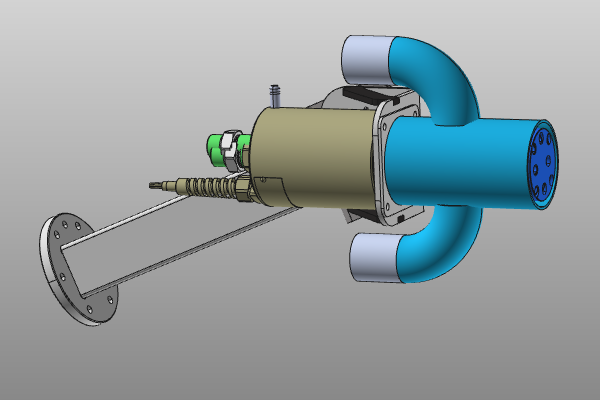
La géométrie du nettoyeur est importée depuis un fichier externe et convertie en ressource outil. La ressource est complétée avec les propriétés de l’appareil et des cadres spécifiques afin de pouvoir être connectée à un robot et simulée de manière fiable.
Étapes
1. Préparation
1.1 Passage à l’établi Resource Builder

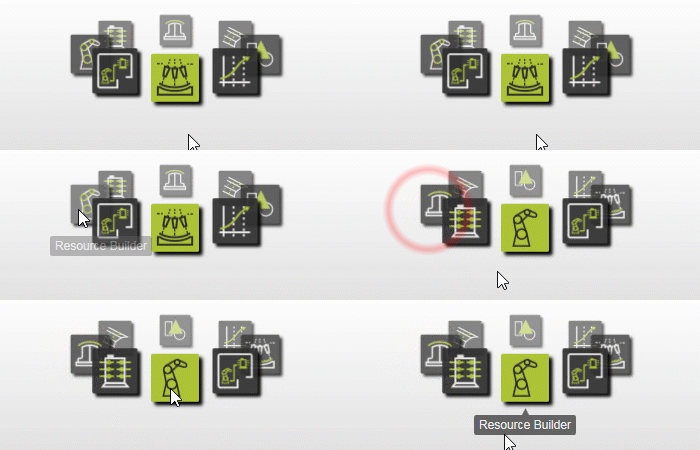
Passage à l’établi RB
1.2 Créer un nouveau document vide (si nécessaire)
Si un autre document est déjà ouvert dans la session en cours, créez un nouveau document vide. Si aucun document n’est ouvert, cette étape peut être sautée.

Créer un nouveau document
Ouvrez le menu Fichier et sélectionnez Nouveau. Si vous vous le demandez, choisissez de sauvegarder le document actuellement ouvert, de le fermer sans sauvegarder ou d’annuler.
2. Définir la ressource de l’outil
2.1 Importer la géométrie depuis Water_Jet_Cleaner.step
Importez la géométrie de Water_Jet_Cleaner.step dans les données d’entraînement.

Géométrie d’importation
2.2 Créer une ressource d’outil pour le pressing

Créez une ressource d’outil
3. Construire la forme de l’appareil de nettoyage
3.1 Attacher la géométrie importée

Géométrie d’attache
4. Définir les propriétés des dispositifs plus propres
4.1 Définir les propriétés du nettoyeur
Attribuez un nom approprié à l’appareil et définissez les propriétés requises.

Définir les propriétés de l’appareil
5. Créer des cadres spécifiques
5.1 Affichage filtre vers trame technologique
Utilisez le cadre technologique pour définir l’emplacement du cône de pulvérisation à jet d’eau.

Affichage à filtres
5.2 Déplacez le châssis vers le centre de la buse

Déplacer le cadre
5.3 Aligner l’axe et définir la position finale de la trame
Alignez l’axe normal sur la plaque de la buse et déplacez le cadre de 100 mm vers l’intérieur jusqu’à sa position finale.
Alignement et position du cadre
5.4 Créer un cadre central de point d’outil
Créez un cadre central d’outil à 140 mm au-dessus du cadre technologique.
Créer une trame TCP
6. Sauvegarder l’appareil de nettoyage
6.1 Sauvegarder le dispositif de nettoyage terminé

Sauvegarder la ressource
Étape suivante
-> Mise en place du projet de jet d’eau