Modifier la posture de position du chemin de soudage
Objectif
Apprenez à modifier le comportement de mouvement et la posture aux positions du chemin de soudure.
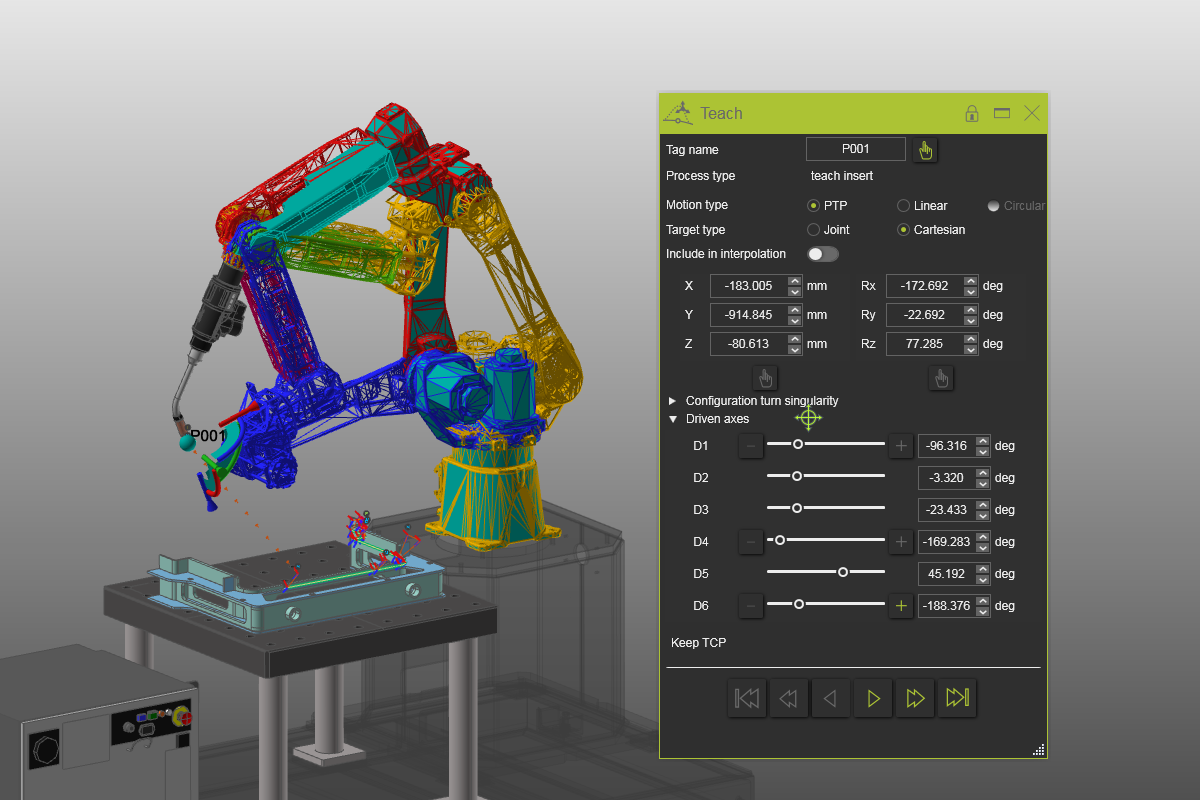
Utilisez ou chargez le projet qui a été sauvegardé dans le chapitre : Construire un projet simple de soudure à l’arc. Sinon, chargez le projet Arcwelding_BasicProgrammed.cendoc depuis le dossier Projets de cette bibliothèque tutoriel.
Étapes
1. Modifier la posture
1.1 Changer le type de mouvement de PTP à linéaire
Faites une simulation partielle avec trace et observez le mouvement. Ouvrez le tableau de bord de Teach. Sélectionnez une position de chemin de soudage et changez le type de mouvement de PTP à linéaire. Cela influence la façon dont le robot se déplace le long du chemin vers la position. Rejouez la simulation pour remarquer la différence. Plusieurs positions de chemin de soudure avec une opération ont des mouvements prédéfinis et ne peuvent pas être modifiées. Les mouvements circulaires ne peuvent être créés que directement sur la géométrie du procédé.

Type de mouvement
1.2 Modifier les valeurs des axes entraînés
Dans le tableau de bord, développez la section Axe Conduit. Par exemple, modifiez les valeurs des axes entraînés en D1 = -65, D2 = 30, D3 = -25 et D5 = -65 degrés. Appuyez sur Entrée pour confirmer les changements.
Axe entraîné
1.3 Modifier la configuration du robot dans le tableau de bord
Élargissez la section Configuration et changez la configuration du robot. Parfois, une position de chemin de soudure peut être atteinte dans plusieurs postures. Les configurations disponibles sont présentées dans cette section. Par défaut, la configuration du robot est réglée sur celle qui a le plus faible changement d’axe par rapport à la posture précédente.
Configuration des robots
1.4 Aperçu des configurations disponibles avec le manipulateur
Double-cliquez sur le centre du manipulateur pour surligner les différentes configurations disponibles pour cette position. Changez la position du chemin de soudure pour voir l’effet sur les différentes configurations.

Configuration des robots
1.5 Modifier la valeur de virage de l’axe
Cliquez sur l’axe piloté 4 de connexion + (ou -). Cela change le virage. Certaines positions peuvent être atteintes avec un axe en utilisant différentes valeurs de rotation. Jouez la simulation avant et après pour visualiser le changement.
Configuration des robots