Réduction de poids du luminaire
Objectif
Apprenez à réduire le poids des luminaires en utilisant des réglages de réduction de poids sur plaque, des options spécifiques à chaque tour et des stratégies de redimensionnement des luminaires.
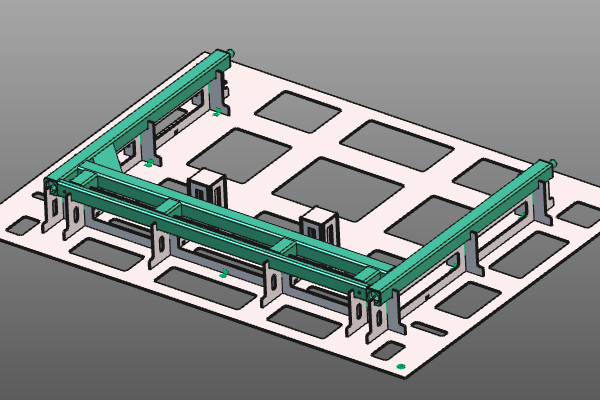
Chargez le projet Fixture_Training_WeightReduction.cendoc depuis cette bibliothèque de tutoriels.
Étapes
1. Préparation
1.1 Définir le comportement des mises à jour
Ouvrez le tableau de bord des paramètres du luminaire. Dans les paramètres généraux, définissez le comportement de mise à jour manuelle.
En mode Automatique, chaque changement de tableau de bord recalcule immédiatement le luminaire. En mode manuel, vous pouvez collecter plusieurs modifications et déclencher un recalcul via Update.

Comportement de mise à jour
2. Réduction du poids des plaques de fixation
2.1 Activer la perte de poids automatique
Ouvrez le contenant de perte de poids et activez la perte de poids automatique. Ensuite, appuyez sur Mettre à jour pour recalculer le calendrier avec le résultat de perte de poids.
Perte de poids
2.2 Sélectionnez les plaques à réduire
Appliquez la réduction de poids séparément pour les plaques X, Y et de base. Basculez chaque option de plaque et mettez à jour le luminaire pour comparer le résultat.
Sélection des plaques
2.3 Ajustement des paramètres de réduction de poids
![[link:Ref_FB_WeightParameters]](/_next/static/media/help_32.a83448e5.png)
La réduction du poids est déterminée par des paramètres de bord. Modifiez ces valeurs pour contrôler la largeur minimale restante du matériau des plaques.
Paramètres de poids
3. Réduction de poids sur les plaques de tour
Les plaques de tour sont généralement petites. Leur réduction de poids a souvent un impact limité sur le poids total de l’appareil, tout en augmentant l’effort et le coût de fabrication. Pour cette raison, la réduction globale des plaques n’est pas appliquée par défaut aux tours ; Les tours utilisent leur propre option.
3.1 Passage à la mise à jour automatique
Dans les paramètres généraux du tableau de bord des paramètres de montage, réglez le comportement de mise à jour manuelle sur Mise à jour automatique.
Comportement de mise à jour
3.2 Permettre une réduction de poids par tour
Pour chaque tour, lance Modifier la tour et active la réduction de poids. Cliquez à l’extérieur du panneau pour mettre à jour la tour.

Réduction de poids de la tour
4. Réduction de poids en redimensionnant le luminaire
Même avec la réduction de poids activée, le luminaire peut rester trop lourd à cause de la taille globale. Diviser le luminaire en sous-accessoires plus petits et redimensionner les plaques de base peut encore réduire le poids total.
4.1 Séparer la plaque de base
Placez le manipulateur à la position fendue sur la plaque de base. Sur l’axe du manipulateur qui définit la direction divisée, passez Split the base plate.

Plaque de base fendue
4.2 Redimensionnement et repositionnement des plaques de base
Redimensionnez et positionnez chaque nouvelle plaque de base. Centrez chaque plaque de base autour des plaques de support avant de redimensionner finalement.

Plaque de base à redimensionnement