Construire le luminaire de base
Objectif
Cette page explique les principales fonctionnalités utilisées pour construire le luminaire de base.
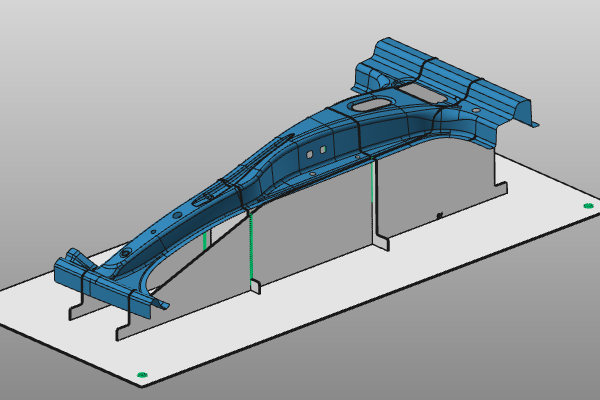
La pièce est chargée pendant la session. Les étapes suivantes montrent comment commencer le processus de conception des luminaires.
Étapes
1. Préparation
1.1 Passage à l’établi montage Builder

Fixture Builder établi
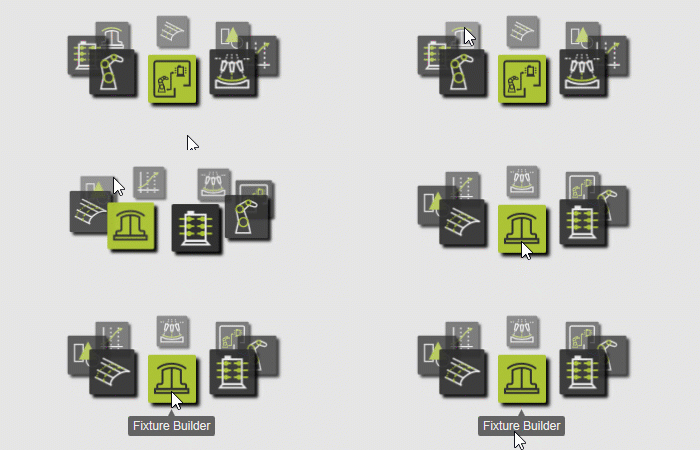
1.2 Créer un nouveau document vide (si nécessaire)
Si un autre document est déjà ouvert dans la session en cours, exécutez cette étape. Sinon, cette étape peut être sautée.

Créer un nouveau document
![[link:Ref_UI_DocToolbar]](/_next/static/media/help_32.a83448e5.png)
1.3 Ouvrir la pièce
Ouvrez la pièce TrainingPart_1.cenwpc depuis le dossier d’installation du matériel d’entraînement.

Ouvre la pièce
2. Construire le luminaire
2.1 Configurer les paramètres par défaut des luminaires
Ouvrez le panneau des paramètres par défaut des matchs et définissez les valeurs globales pour lancer la conception des luminaires :
- Épaisseur de la plaque : 3 mm
- Plaques de support : 2 pouces X et 2 pouces Y
- Réduction automatique de poids : désactivée

Paramètres par défaut des rencontres
2.2 Positionner la plaque de base du luminaire
Activez la commande Créer/Modifier un appareil. Déplacez le manipulateur sous la pièce. Le plan manipulateur XY définit la position et l’orientation de la plaque de base par rapport à la pièce.

Positionner la plaque de base
2.3 Créer le luminaire de base
Sélectionnez la pièce, ouvrez le menu en pie au centre du manipulateur, et exécutez Créer un appareil.

Créez un accessoire
3. Sauvegarder le match (temporaire)
Pour enregistrer vos progrès et poursuivre ce cours plus tard, enregistrez vos données dans un fichier de document .cendoc. Ce fichier package unique inclut toutes les données de la session en cours.
Pour plus de détails sur les fichiers de documents, voir Types de documents.
3.1 Sauvegarder la session
Dans le menu Fichier, exécutez Enregistrer sous présence, sélectionnez l’emplacement où stocker vos données et donnez un nom approprié au document.

Sauvegarder la session