Téléchargeur Fanuc
Introduction
Le téléchargeur du fournisseur Fanuc traduit la fonctionnalité de base FASTSUITE Édition 2 en un programme robot Fanuc prêt à l’emploi.
Préparation de la disposition
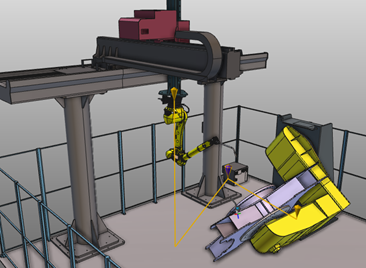
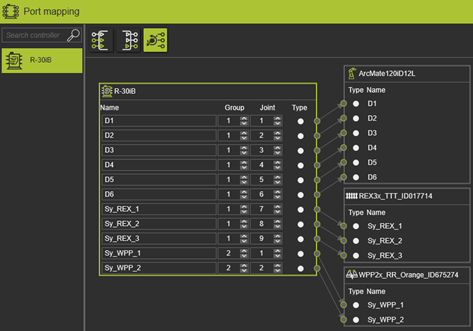
Pour que le programme robotique soit généré correctement, les axes des robots Fanuc doivent être correctement connectés dans le tableau de bord Port mapping de l’établi Layout Builder. Les contrôleurs robots Fanuc divisent les axes en différents groupes de mouvements. Chaque groupe de mouvement peut comporter jusqu’à 9 articulations. Ces informations sont lues depuis la mise en page et traitées lors de la création du programme robot. Il est donc important d’attribuer le groupe et l’index d’axe corrects aux axes robotiques.
Téléchargeur Fanuc
Le téléchargeur Fanuc prend en charge :
-
Cartographie d’outils et de base
-
Point à point, sortie de mouvement linéaire et circulaire.
-
Carésienne et type de cible à mouvement articulaire pour tous les mouvements.
-
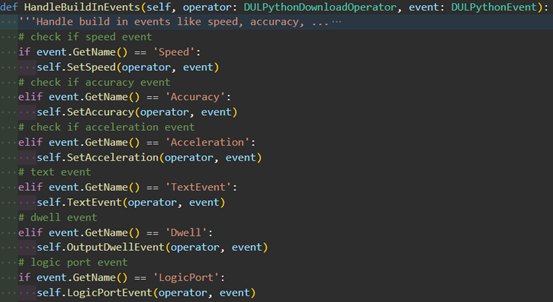
Événements de vitesse, de précision et d’accélération.
-
Un événement texte est utilisé pour ajouter un commentaire dans le programme robot Fanuc.
-
Définir le signal et attendre le signal (ports logiques) ; Uniquement les signaux booléens.
Il comporte quelques restrictions :
-
Avec FASTSUITE Édition 2 version R2024.1, seul le téléchargeur (Python) est disponible. Pour créer un téléchargement, il faut utiliser l’application Custom Definition.
-
Implémentation via la personnalisation
-
Les mouvements multi-robots (synchronisés) sont pris en charge par défaut.
-
Les événements de port de ressources ne sont pas implémentés dans la base.
-
Infrastructures
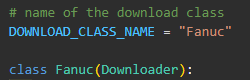
Le téléchargeur fournisseur Fanuc est dérivé de l’implémentation de base du traducteur.
Pour faciliter la création du programme, le programme Fanuc est organisé en plusieurs sections.
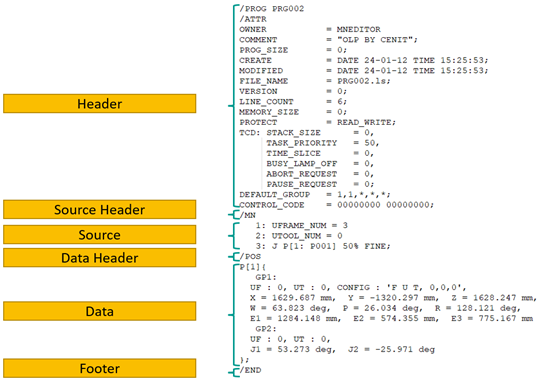
Ces sections sont organisées en réseaux de cordes. Les tableaux de chaînes sont initialisés dans la fonction __init__().
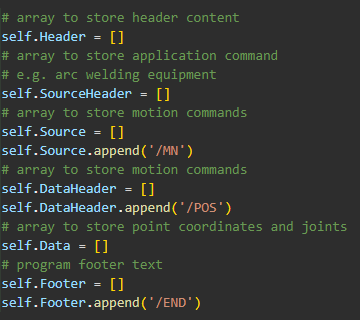
Pour ajouter du contenu aux tableaux de sections, il est recommandé d’utiliser les fonctions existantes :
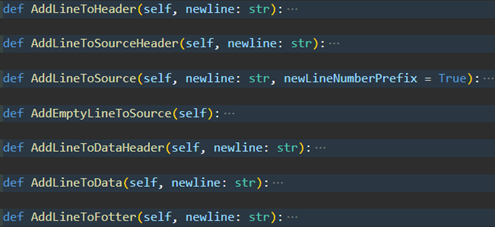
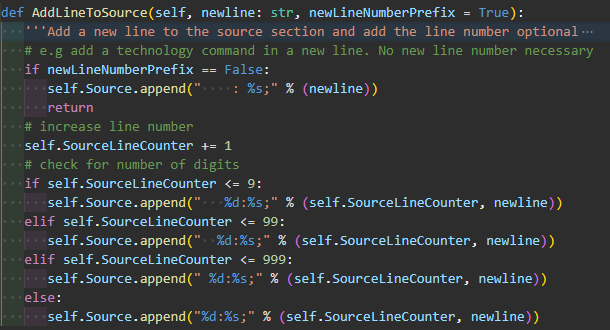
Cela a l’avantage que des éléments comme la numérotation des lignes et l’espacement des marges sont automatiquement maintenus.
Sortie d’en-tête
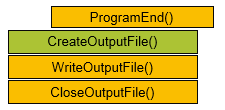
La sortie de l’en-tête est générée à la fin du processus complet. C’est pas fait dans la fonction OutputHeader().
C’est parce que nous avons besoin du maximum de lignes sources dans l’en-tête et facilitons la personnalisation. À la place, il est appelé dans le CreateOutputFile().
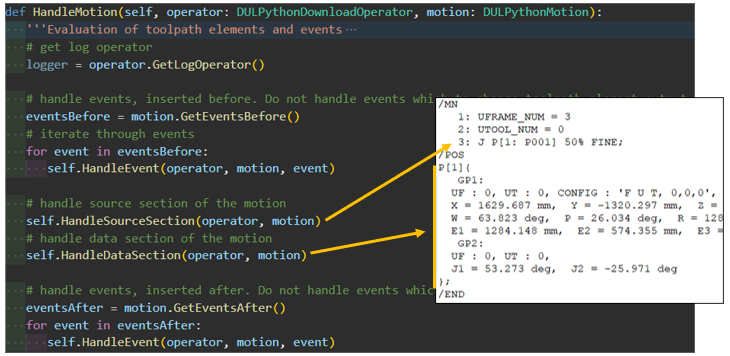
Mouvement de la poignée
La fonction HandleMotion() gère le mouvement ainsi que tous les événements avant et après le mouvement.
Le mouvement est divisé en sections source et données :
Les commandes et les signaux sont également traités.
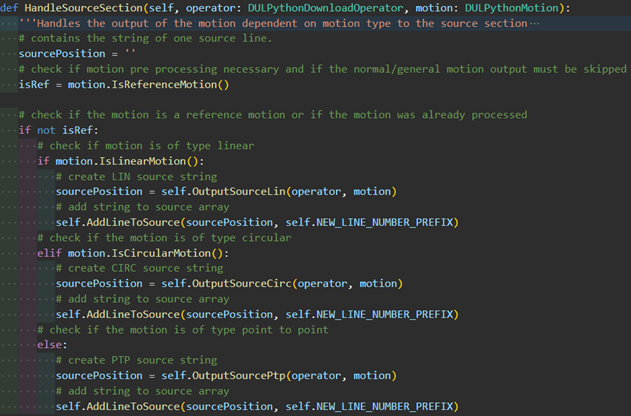
Sortie source
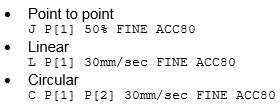
Dans la section source, la séquence de points est définie, selon le type de mouvement.
Sortie de données
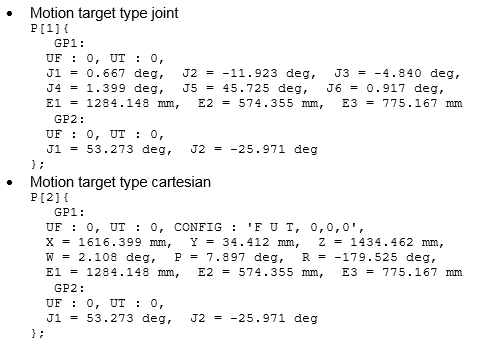
Dans la section données, les coordonnées ponctuelles correspondantes sont évaluées et converties dans un format approprié en utilisant le type de cible de mouvement.
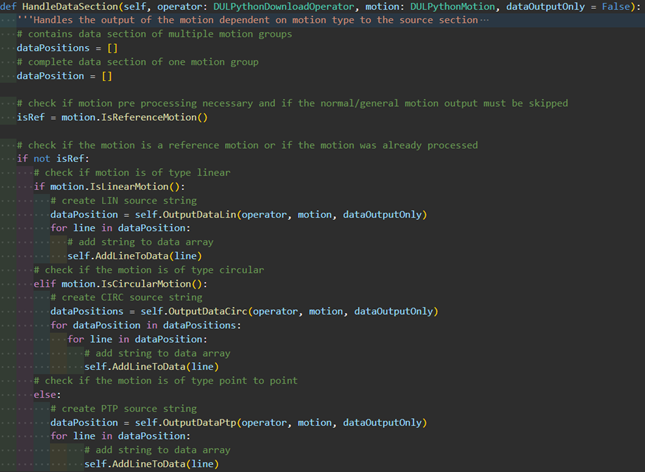
Si un point est créé dans la section source, le compteur de points y est augmenté. Si le point n’est produit que dans la section données, le compteur de points doit être augmenté à cet endroit en réglant le dataOutputOnly à Vrai.
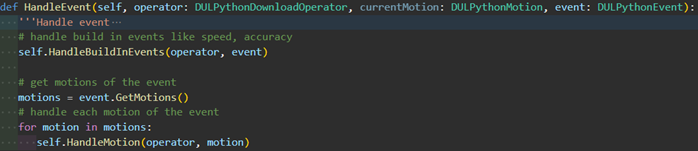
Gérer les événements
In the HandleEvent() function, the events, so-called built-in events, which are delivered with the standard FASTSUITE Edition 2 installation (see the restrictions)are processed.
Groupes de mouvement
Pour simplifier la sortie des coordonnées ponctuelles, les données FASTSUITE Édition 2 sont transférées dans une structure de données séparée avec des groupes de mouvement et des articulations. Cette structure de données est la même que la structure de données de Fanuc. Cela facilite grandement la sortie. La définition des groupes de mouvement et des articulations se trouve à la fin du traducteur de Fanuc.
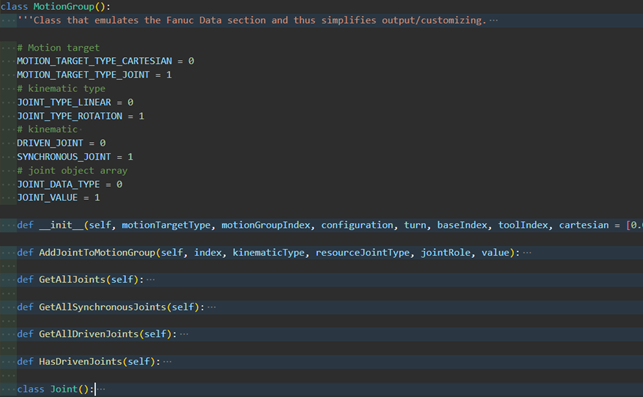
Constantes et réglages pour une personnalisation supplémentaire
Constantes
Sous la définition de la classe, vous trouverez la définition de la constante.
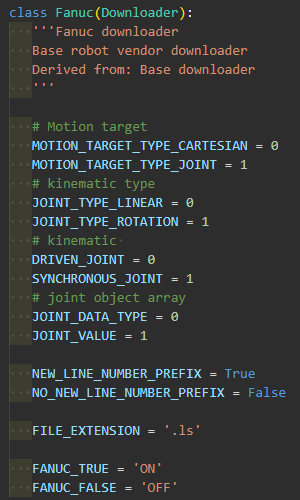
Celles-ci peuvent également être utilisées dans les dérivations en les préfixant de la commande self.

Index minimum et maximum d’outils et de cadre de base
Fanuc lui-même ne prend en charge que les numéros d’index d’outils et de cadres de base dans une plage commune.
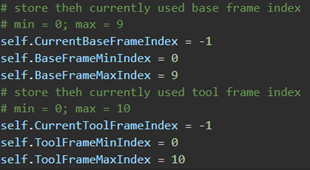
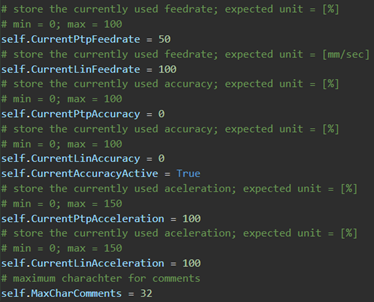
Vitesse, précision et accélération
Les profils de mouvement sont ajoutés à la définition du point, de sorte que les événements du profil de mouvement modifient les variables à l’échelle de la classe qui sont ensuite prises en compte dans la sortie du point.