Générez le programme de soudure à l’arc
Objectif
Un second robot soudeur sera introduit pour coopérer avec le premier.
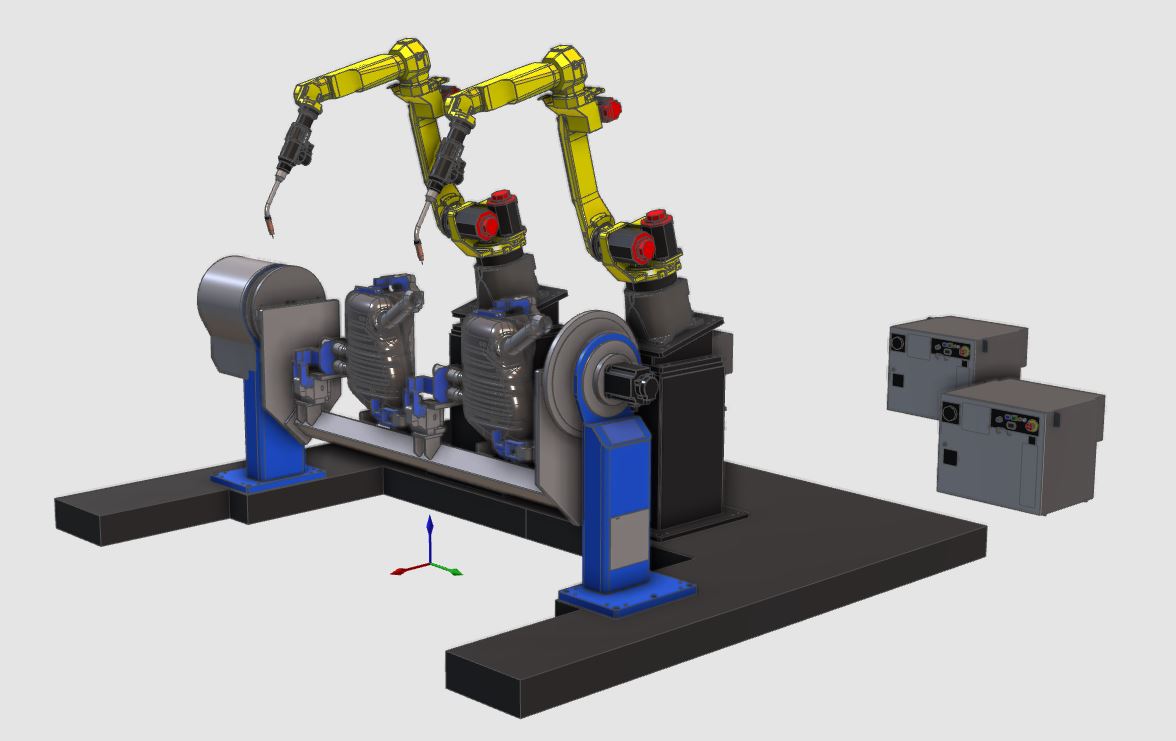
Chargez la cellule de travail préparée fournie avec ce tutoriel dans le projet. Les opérations de soudage sont réparties et programmées sur deux robots, puis synchronisées. Utilisez le projet Arcwelding_CooperatingRobots_Base.cendoc du dossier Projets de cette bibliothèque tutoriel.
Étapes
1. Programmer le premier robot
1.1 Programme le chemin de soudure.

Programmer un chemin de soudage
1.2 Modifier le positionneur de la pièce.
Utilisez le tableau de bord Teach pour faire pivoter le positionneur de la pièce afin que le robot atteigne la position P003 du chemin de soudure.

Modifier le positionneur de la pièce
1.3 Modifier l’orientation de l’élément du trajet d’outil.
Utilisez le manipulateur Teach pour modifier l’orientation de la position P003 afin d’éviter la collision.
Modifier l’orientation de l’élément du trajet d’outil
1.4 Simuler le parcours d’outil du premier robot.

Simuler le parcours d’outil
1.5 Ajouter l’événement de démarrage de la synchronisation.
Ajoutez l’événement de synchronisation Start à la position d’approche P001 du parcours d’outil.

Synchronisation au démarrage des événements
1.6 Ajouter l’événement de synchronisation End.
Ajoutez l’événement de synchronisation End à la position de rétraction P005 du parcours d’outil.
Synchronisation de fin d’événement
2. Programmer le second robot
2.1 Programmez le deuxième chemin de soudure.
Passez au second robot et programmez un chemin de soudure similaire sur l’autre pièce.
Programmer un chemin de soudage
2.2 Ajouter l’événement de synchronisation de démarrage.
Ajoutez l’événement de synchronisation Start à la position d’approche P001 du parcours d’outil.
Synchronisation au démarrage des événements
2.3 Modifier l’orientation de l’élément du trajet d’outil.
Utilisez le manipulateur Teach pour modifier l’orientation de la position P003 afin d’éviter la collision.
Modifier l’orientation de l’élément du trajet d’outil
2.4 Ajouter l’événement de synchronisation End.
Ajoutez l’événement de synchronisation End à la position de rétraction P005 du parcours d’outil.
Synchronisation de fin d’événement
3. Simulation
3.1 Simuler le programme synchronisé complet.
Simuler le programme
4. Sauver le projet
4.1 Sauvegardez le projet en tant que document .cendoc.

Sauvegarder le projet en tant que document
Étape suivante
→ Téléchargez le programme OLP