Aperçu du Quick Start
Ce chapitre vous aide à commencer avec FASTSUITE Édition 2. Il introduit l’interface utilisateur, la navigation de base et les interactions clés nécessaires pour commencer à fonctionner avec l’application.
L’application dispose d’une fenêtre principale, d’une seule interface utilisateur, appelée la vue 3D. Cette vue 3D affiche non seulement le modèle tridimensionnel, elle intègre toutes les interactions utilisateur et toutes les autres barres d’outils de commandes. La vue 3D est l’outil qui visualise, interagit avec, analyse et simule les modèles et les mises en page sur lesquels l’utilisateur travaille.
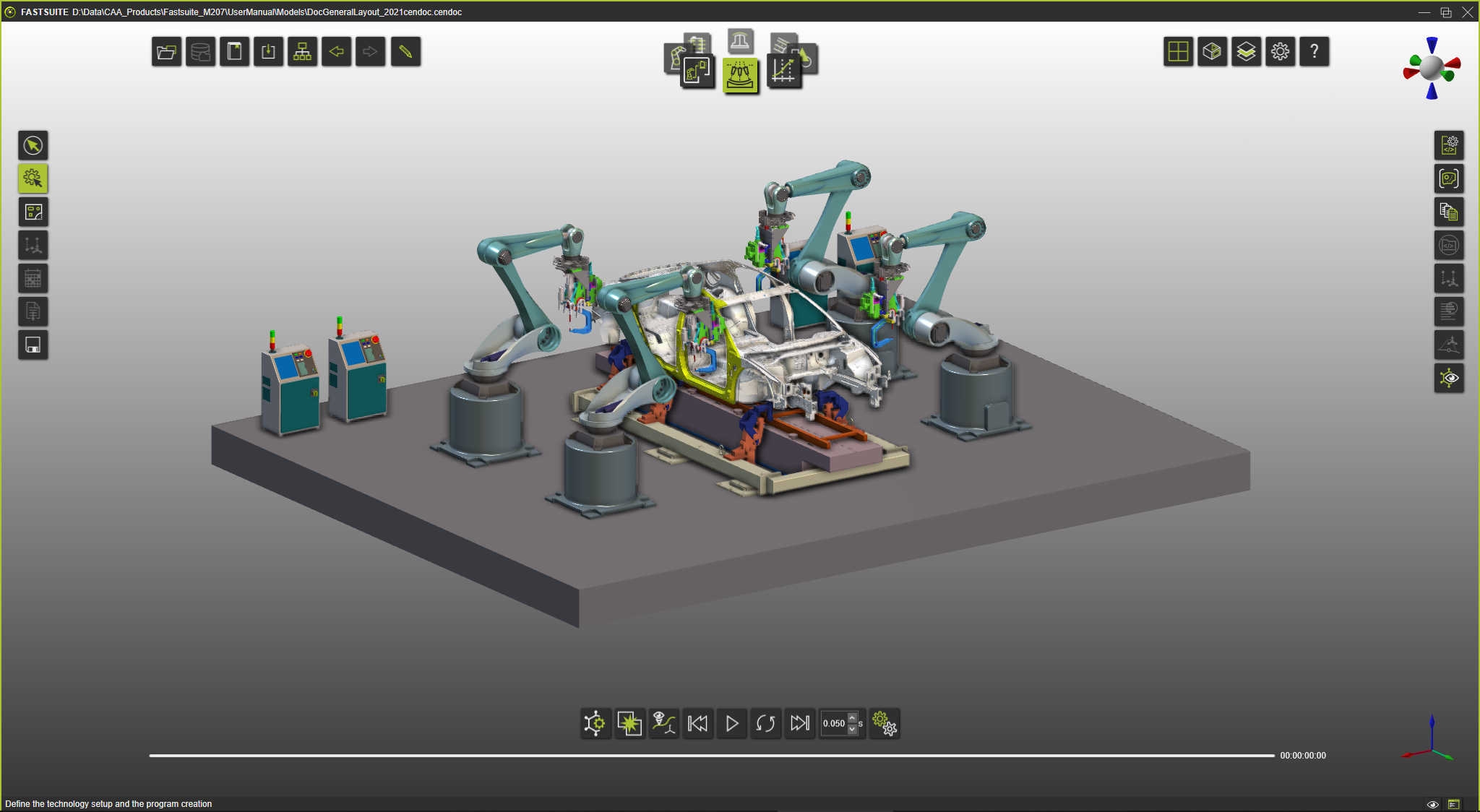
Lancement pour la première fois de FASTSUITE Édition 2

Lancement de FASTSUITE Édition 2
Créez votre premier projet
Premier projet
Interface utilisateur et interactions
Les sujets suivants présentent les éléments d’interface utilisateur et les interactions les plus importants utilisés dans FASTSUITE Édition 2. Des informations détaillées sont disponibles dans le guide de référence.
Visualisation de l’espace de travail 3D
Menu de calotte contextuel
Manipulateur
Barre d’outils de documents
Carrousel d’établi
Modes de fonctionnement
Filtres d’affichage
Disposition 3D de l’espace de travail
Obtenir de l’aide
Cette documentation permet de guider l’utilisateur dans le travail avec FASTSUITE Édition 2. Pour aider encore davantage l’utilisateur, l’application inclut une aide détaillée très facilement accessible et indiquant où l’utilisateur travaille à ce moment-là.
Pages d’aide
Informations de référence

Interface utilisateur