More examples
Purpose
Explore two additional spraying project examples that use external kinematics to optimize toolpath execution.
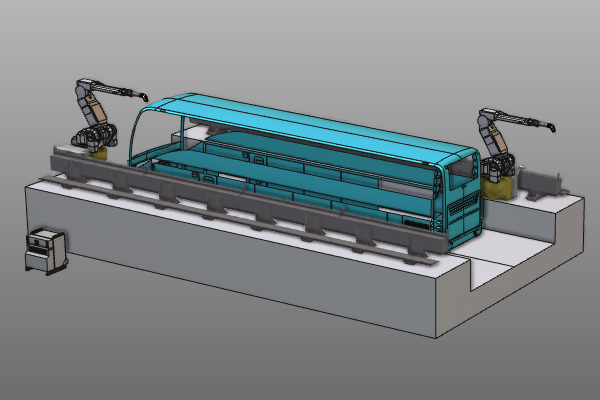
These examples demonstrate how rail and positioner interpolation can improve coverage and motion quality for water jet cleaning operations.
Steps
1. Example 1: Rail track
1.1 Open the rail interpolation project
Open the file Rail_Interpolation.cendoc from the training data.

Open project document
1.2 Modify corner track positions
Open the Teach panel and modify track positions in the four operation corners. Ignore approach and retract positions.

Edit toolpath positions
1.3 Add external axis interpolation
Add external axis interpolation to improve use of the rail.
Add rail interpolation
1.4 Simulate and verify
Run simulation to verify the updated rail-based result.

Simulate toolpath
2. Example 2: Workpiece positioner
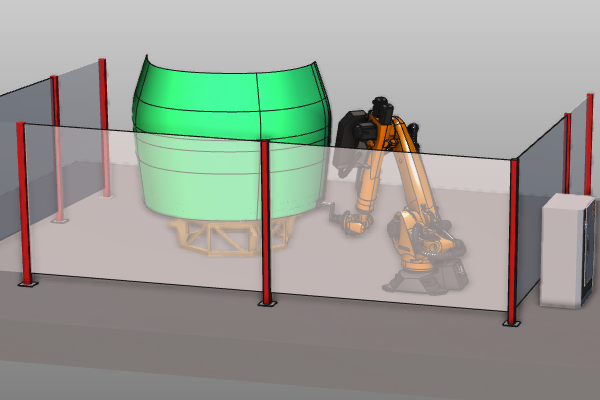
This example uses workpiece positioner kinematics to improve track transitions across the surface.
2.1 Open the positioner interpolation project
Open the file Positioner_Interpolation.cendoc from the training data.
Open project document
2.2 Simulate the existing programmed toolpath
Run a simulation of the existing program to establish the baseline behavior.
Simulate existing toolpath
2.3 Modify right-side track positions
Open the Teach panel and modify the track on the right side of the workpiece. Ignore the approach position.
Edit right-side track
2.4 Modify left-side track positions
Modify the track on the left side of the workpiece. Ignore the approach position.
Edit left-side track
2.5 Add external axis interpolation between tracks
Add an external axis interpolation between surface tracks for better positioner usage.
Add positioner interpolation
2.6 Simulate and verify
Run simulation to verify the new positioner-based result.
Simulate toolpath