Add events
Purpose
Learn to modify the download output. Add events and verify that they are written in the download file.
Load the project Arcwelding_BasicProgrammed.cendoc from the Projects folder of this tutorial library.
Steps
1. Add events
1.1 Add a Dwell event
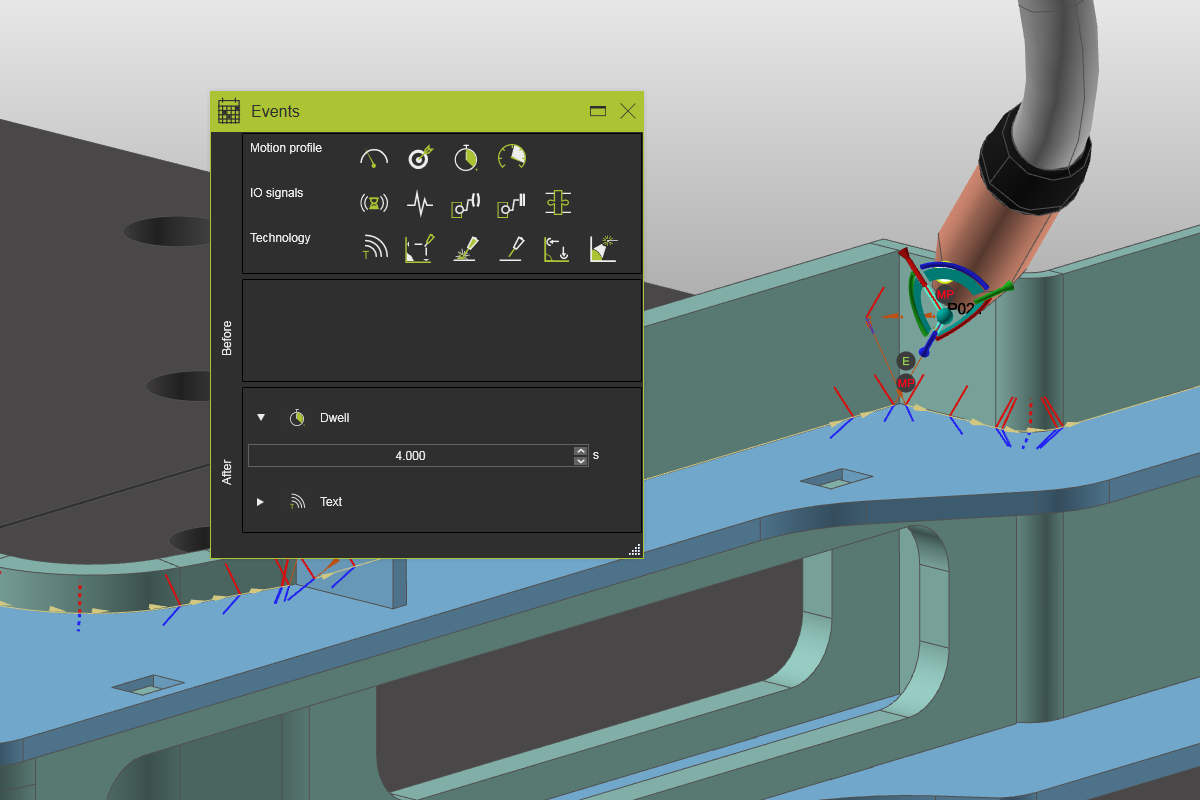
Right click on a welding path position. Select the Create and edit events command. Drag and drop a Dwell event after the program has reached that position. Notice the event marker that has been placed at the path position in the 3D space. Simulate the welding path (partially) to see the effect.

Add event
1.2 Add a Speed event
Move to another position. Then drag and drop a Speed event to control the motion to that position. Simulate the path to see the result.
Add event
2. Download
2.1 Download the program and review the output
Download the program. Open the generated download file. Here the different events can be identified as modifications to the robot code.

Download