Settings & verification
Settings and logs

This topic includes a few actions regarding the settings and log information.
 | Reload the default settings | Removes the latest settings and reloads the installation default settings. |
 | Save and zip all log files | Collects all log files to be stored in a single zip file. A file browser opens to pick the folder where to store that file. The file will be created under the name of logs.zip. A confirmation appears after completion. |
 | Open folder with log files | Opens a file browser at the specified location of the stored zip file. |
Verify installation

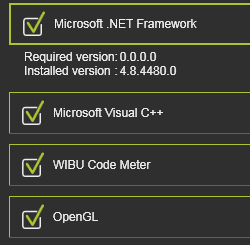
Here the system configuration will be checked against the prerequisites of the application. In case the system does not meet a prerequisite, a warning appears. Expanding a container will show the detailed information about the requirement and the installed version of the system software.
Was this page helpful?