Quick Start Overview
This chapter helps you get started with FASTSUITE Edition 2. It introduces the user interface, basic navigation, and the key interactions needed to begin working with the application.
The application has a main window, one single user interface, that is called the 3D view. This 3D view not only displays the 3-dimensional model, it integrates all user interactions and all other command toolbars. The 3D view is the tool that visualizes, interacts with, analyzes and simulates the models and layouts that the user is working on.
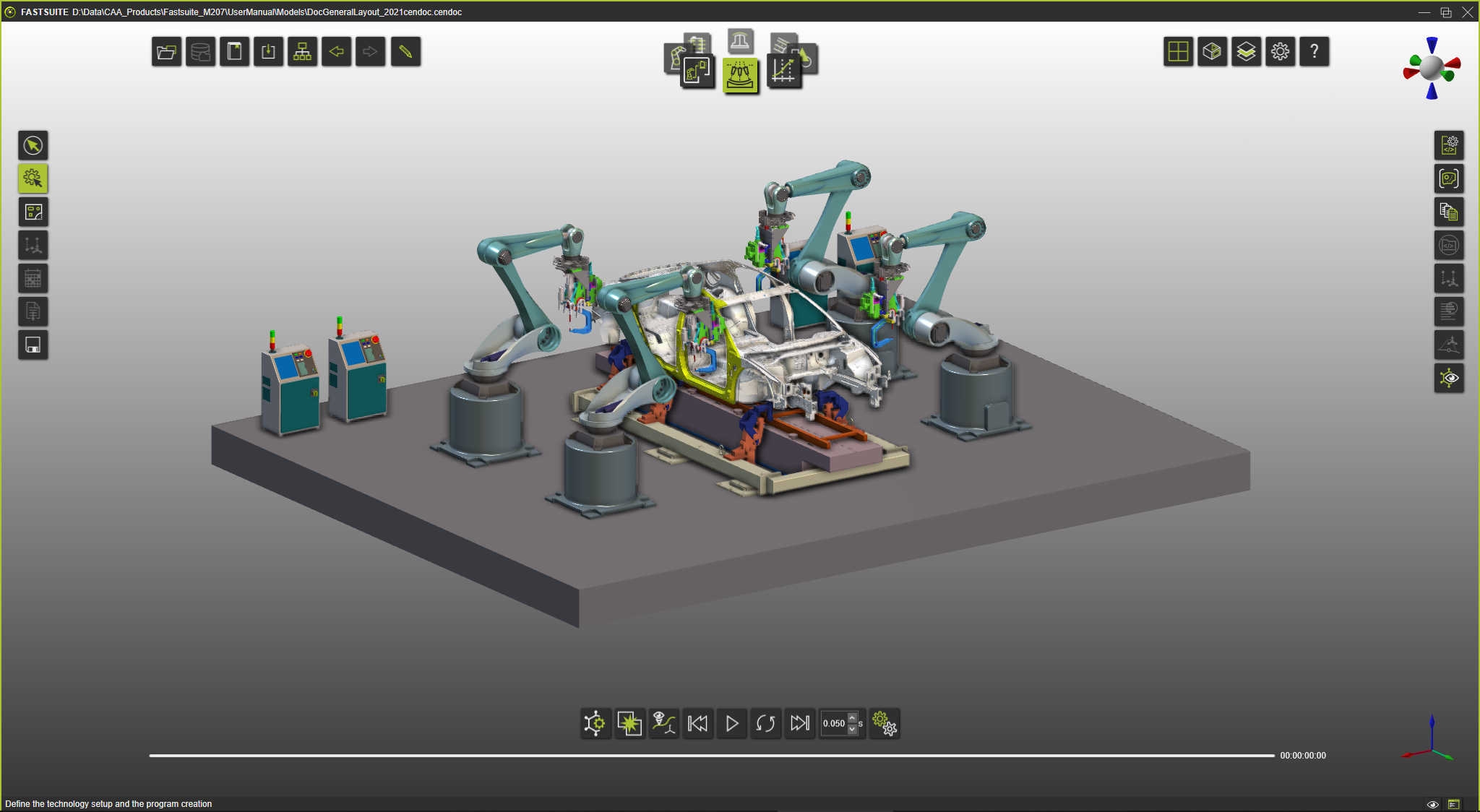
Launch FASTSUITE Edition 2 for the first time

Launch FASTSUITE Edition 2
Create your first project
First Project
User interface and interactions
The following topics introduce the most important user interface elements and interactions used in FASTSUITE Edition 2. Detailed information can be found in the Reference guide.
Viewing the 3D workspace
Context pie menu
Manipulator
Document toolbar
Workbench carousel
Operation modes
Display filters
3D Workspace layout
Getting help
This documentation supports to the best possible to guide the user through working with FASTSUITE Edition 2. To assist the user even more, the application includes a detailed Help that can be accessed very easily and pointing to at where the users is working at that moment.
Help pages
Reference information

User interface