Build the robot rail
Purpose
Use the Resource Builder workbench to easily build a robot rail.
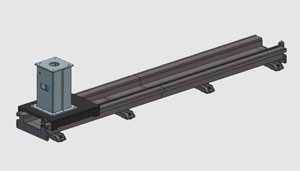
The geometry of the robot rail is imported from an external file to build the rail resource. To use the rail later in a workcell, complete it with the required kinematic structure, adapters, and properties.
Steps
1. Preparation (if needed)
1.1 Switch to the Resource Builder workbench.

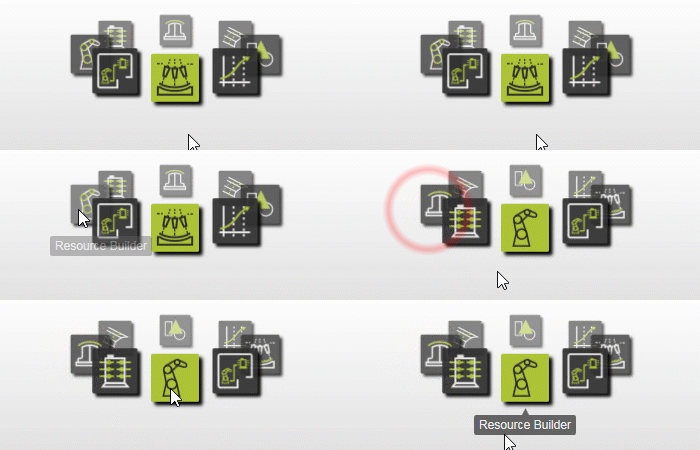
Switch to the RB workbench
1.2 Create a new empty document.
If another document is already open in the current session, create a new empty document before you continue.

New document
2. Define the rail resource
2.1 Import the rail geometry.
Import the geometry from the Rail.stp file located on the installation drive of this manual.

Import geometry
2.2 Create a new rail resource.
Create a new rail-type resource for the imported geometry.

Create a rail resource
2.3 Create the kinematic skeleton.
Create the rail kinematic skeleton with a synchronous linear movement.
Create a kinematic skeleton
3. Build the rail resource shape
3.1 Attach the imported geometry to the rail base.
Attach the fixed rail part of the imported geometry to the base of the rail resource.

Attach imported geometry to base
3.2 Attach the movable pedestal to the linear joint.
Attach the movable pedestal part of the rail geometry to the linear joint of the rail resource.
Attach imported geometry to kinematic joint
4. Create the rail adapter
The pedestal adapter is used later to connect a robot to the rail so the robot moves together with the pedestal during simulation.
4.1 Define a parent adapter on the pedestal.

Create an adapter
5. Define the rail properties
5.1 Define the resource properties.
Give the rail resource an appropriate name and define the adapter properties.

Define the resource properties
5.2 Define the kinematic limits.
Define the kinematic limits of the rail.
Define the kinematic skeleton properties
5.3 Define the home positions.
Define the home positions of the rail.
Define the resource home positions
6. Save
6.1 Save the robot rail.

Save the resource
Next Step
→ Build the workpiece positioner