Download the laser cut program
Purpose
In this last activity the final machine program files are generated from the offline programs.
Steps
1. Export the programs
1.1 Switch to the Controller Builder workbench
This workbench is used to configure program translation from OLP to machine code and to manage controller settings.

Switch to CB workbench

1.2 Set the OLP translator
Open the Controller dashboard. In the OLP Translator container, verify or set the translator. For this tutorial, use Prima_P20L_P30L.pp.

Set the translator
1.3 Set the output directory
In the same container, set the output directory path where the downloaded program should be stored. Confirm with Enter or by clicking outside the panel.
Set output directory
1.4 Rename the program
Switch to the OLP workbench, open the Programs dashboard, and rename the program.

Rename program
1.5 Download the machine program
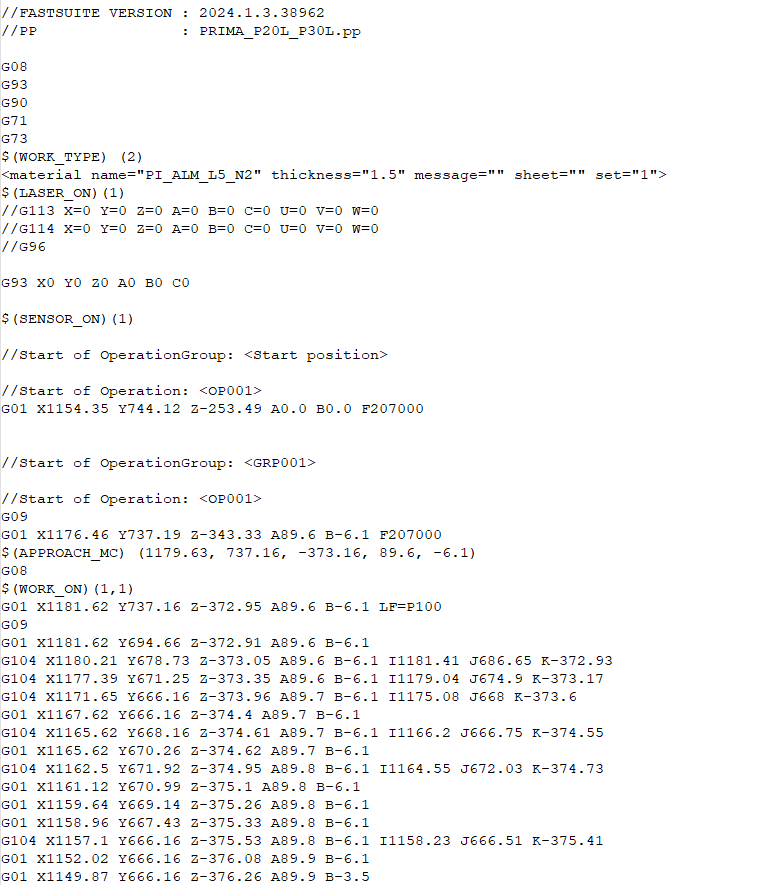
Press the OLP download button. This creates the machine-specific program and stores it in the configured output directory.

Download program
Completion
-> Return to Building a simple laser cutting project