Add events
Purpose
Learn to modify the download output. Add events and verify that they are written in the download file.
Load the project Training_LaserCutFeatures.cendoc from the Projects folder of this tutorial library.
Steps
1. Add events
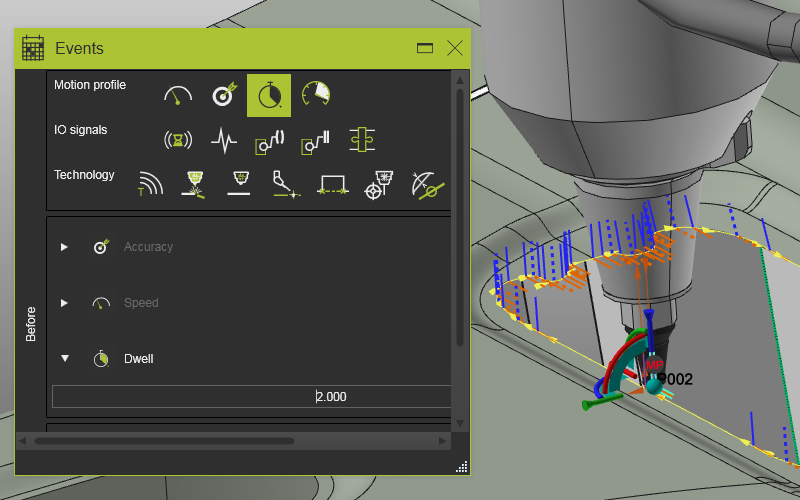
1.1 Add a Dwell event
Program an operation. Right-click a cutting path position and select Create and edit events. Drag and drop a Dwell event before the program reaches that position. Verify the event marker in the 3D view and simulate the operation.

Create and edit events
1.2 Add a Text event
Add a Text event to the cutting operation.
Create and edit events
2. Download
2.1 Download and verify event output
Download the program and open the generated file. Confirm that events are written as modifications in the machine code.

Program download
Was this page helpful?