Simulate the process
Purpose
Run process simulation on the programmed toolpath to evaluate the effect of the cleaning process on the workpiece surface.
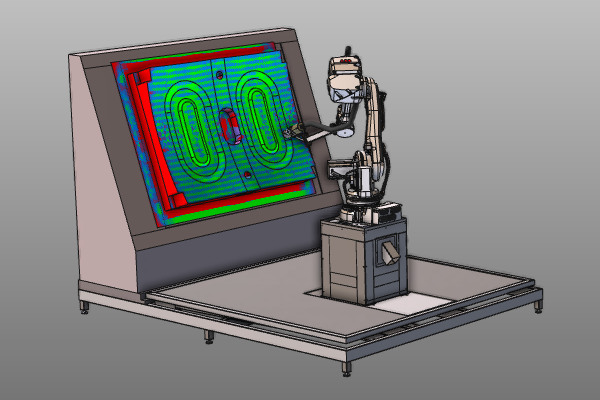
The simulation calculates contact time and process coverage from the water jet spray cone.
Steps
1. Process simulation
1.1 Activate and run process simulation
Start process simulation from the simulation player toolbar.

Process simulation
1.2 Reduce track distance
Adjust track distance in Active program dashboard, then compare simulation quality.

Toolpath optimization
1.3 Run simulation again and compare

Re-run process simulation
1.4 Adjust process imaging display
Open Process imaging dashboard and adjust visualization of simulation results.

Process imaging
1.5 Tune simulation settings
Open Simulation settings dashboard and adjust relevant simulation parameters.
Simulation settings
Be sure to save your changes frequently.
Next Step
Was this page helpful?