Python-Bibliotheken
Verfügbare Python-Bibliotheken
Eine Python-Bibliothek ist eine Sammlung verwandter Module. Sie enthält Pakete von Code, die mehrfach in verschiedenen Anwendungen wiederverwendet werden können. Dies macht die Python-Programmierung für den Programmierer einfacher und bequemer, da derselbe Code nicht immer wieder für verschiedene Anwendungen neu geschrieben werden muss.
Alle verfügbaren Python-Bibliotheken sind im Installationsordner von FASTSUITE zu finden: ..\E2InstallationPath\Lib\site-packages.
cenpylib
The cenpylib package (CENIT Python Library) was developed by CENIT AG for use with FASTSUITE Edition2 application and is a utility library designed to simplify standard function calls. Also, one of the main functions of cenpylib is to provide IntelliSense functionality. Please, see IntelliSense settings for needed setup steps.
[Example 1]
# Import library
from cenpylib import *
# Usage: specify the operator's class
def ModifyActiveProgram(operator: CENPyOlpProgramModifyOperator):
   # Result: IntelliSense will provide you with all available functions
   logging = operator.GetLoggerOperator()
   program = operator.GetActiveProgram()
   logging.LogInfo("Program name: "+str(program.GetName()))
   ...
[Example 2]
from cenpylib import *
def ModifyActiveProgram(Operator: CENPyOlpProgramModifyOperator):
   logging = Operator.GetLoggerOperator()
   # Use file utility to access the paths of CENIT and E2 logos
   fileUtility = FileUtility()
   logging.LogInfo(f"CENIT logo black path: {fileUtility.CENIT_LOGO_BLACK}")
   logging.LogInfo(f"CENIT logo green path: {fileUtility.CENIT_LOGO_GREEN}")
   logging.LogInfo(f"FASTSUITE E2 icon path: {fileUtility.FASTSUITE_E2_ICON}")
   logging.LogInfo(f"FASTSUITE E2 logo path: {fileUtility.FASTSUITE_E2_LOGO}")
[Example 3]
from cenpylib import *
def ModifyActiveProgram(Operator: CENPyOlpProgramModifyOperator):
   logging = Operator.GetLoggerOperator()
   # Use file utility to access the paths of CENIT and E2 logos
   # ======== create a PDF Report =============
   pdf = ReportUtility()
   pdf.createAutoExecutePDFReport(Operator, "")
tkinter
Das tkinter-Paket („Tk-Schnittstelle“) ist die standardmäßige Python-Schnittstelle zum Tcl/Tk GUI-Toolkit. Detaillierte Informationen finden Sie hier:

Tk interface
# Import library
from tkinter import *
from tkinter import ttk
   # Usage
   root = Tk()
   frm = ttk.Frame(root, padding=50)
   frm.grid()
   ttk.Label(frm, text="Hello World!").grid(column=0, row=0)
   ttk.Button(frm, text="Quit", command=root.destroy).grid(column=1, row=0)
   root.mainloop()
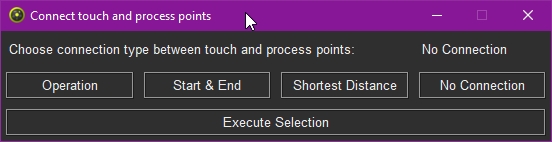
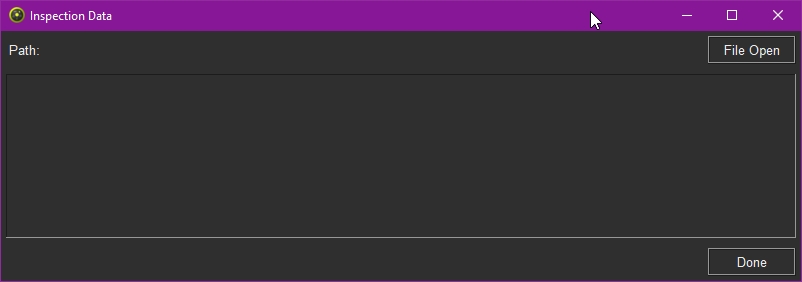
Einige Beispiele finden Sie im Installationsordner von FASTSUITE E2:
- ..\E2Plugin\Technologies\ArcWeldingTechnology\Standard\AuxiliaryCommands\OlpProgram\Connect touch and process points.py
- ..\E2Plugin\Technologies\LaserCuttingTechnology\Standard\AuxiliaryCommands\OlpProgram\Import inspection data.py
fpdf2
fpdf ist eine Bibliothek zur einfachen und schnellen Erstellung von PDF-Dokumenten in Python. Sie ist ein Fork und der Nachfolger von PyFPDF. Mit dem Plugin-Manager besteht die Möglichkeit, Wörterbücher für die Übersetzung in verschiedene Sprachen zu erstellen. Das Wörterbuch unterstützt die Definition von Attribut- und Ereignisnamen, die in Python erstellt wurden. Detaillierte Informationen finden Sie hier:
fpdf2 documentation
Abhängigkeiten des fpdf2-Pakets:
-
Pillow – ist eine Python Imaging Library, die Ihrem Python-Interpreter Bildverarbeitungsfunktionen hinzufügt.
-
defusedxml - contains several Python-only workarounds and fixes for denial of service and other vulnerabilities in Python’s XML libraries.
-
svg.path – ist eine Sammlung von Objekten, die die verschiedenen Pfadbefehle in SVG implementieren, sowie ein Parser für SVG-Pfaddefinitionen.
# Import library
from fpdf import FPDF
   # Usage
   pdf = FPDF()
   pdf.add_page()
   pdf.set_font('helvetica', size=12)
   pdf.cell(txt="hello world")
   pdf.output("hello_world.pdf")