Daily Workflows in Shopfloor Assistant
This section presents the most common workflows used by operators when preparing NC programs.
Each workflow combines several tools explained in previous chapters, such as:
- Single-Point Selection
- Multi-Line Selection
- Line-by-Line Editing
- Rototranslation Panel
- Preview Toolpath Changes
- Regshape Attributes Panel
- Validating Your NC Code
Typical Operator Workflow
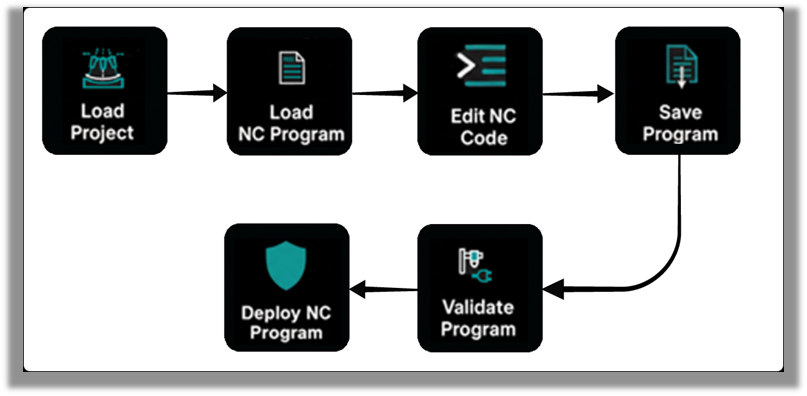
The most common workflow when preparing an NC program is:
Load Project → Inspect Toolpath → Edit NC Code → Save → Validate
Common Editing Workflows
The following workflows describe typical correction scenarios:
-
Single-Point Correction
Adjust a single motion point. -
Circular Motion Refinement
Adjust arc trajectories (G104). -
Multi-Line Rototranslation
Shift or rotate a group of toolpath points. -
Regshape Editing
Modify pattern-based geometries such as holes or slots.
Each workflow is explained in detail in the following pages.
Was this page helpful?