Navigation Cube
The Navigation Cube, located in the bottom-left corner of the 3D Viewer, provides quick orientation control for your view. By clicking on the cube, you can instantly switch the camera to predefined orientations, making navigation easier and more efficient.
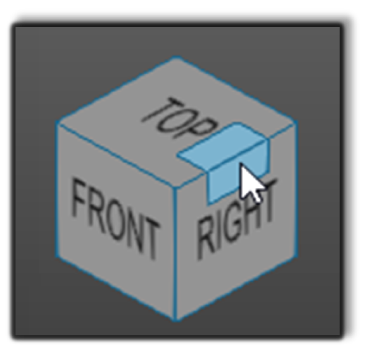
How to use the Navigation Cube:
- Click a face – Switches to standard views: Top, Bottom, Front, Back, Left, or Right.
- Click an edge or corner – Switches to the corresponding angled view for a more precise perspective.
Notes for Operators
- Use the Navigation Cube to quickly reorient the camera after moving or rotating the scene for easier inspection.
- One click on the FastCube icon in the top-left corner to instantly reset the view to the default orientation.
- Double-clicking in the empty 3D space also resets the view
Was this page helpful?