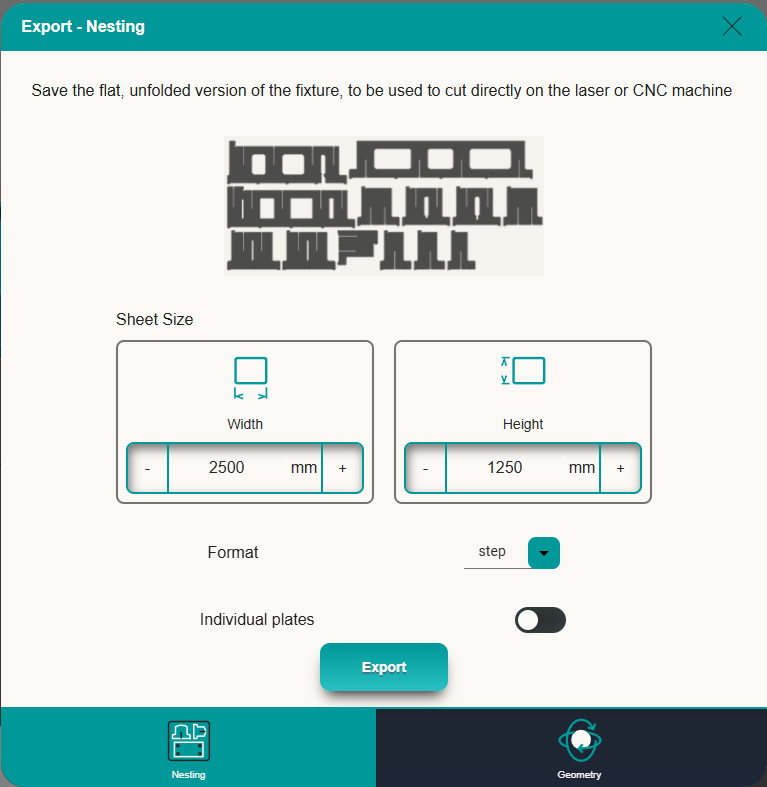
To export the fixture for manufacturing in laser cutting machine go to the first tab of export and enter the sheet size that will be used to cut the fixture. Then select the format as .dxf and click export.
A nesting with the size of the sheet plate will be created trying to optimize the plates arrangement. If the plates cannot fit in a singular sheet multiple sheet nestings will be created. The sheet most be at least as big a the largest plate in the fixture, usually the baseplate, plus 20mm margin. If the sheet size is not big enough an error will show before exporting.
Format: Allows to change the export format from .dxf to .step
Individual plates: Changes the output from a nesting with all the plates to a .zip file with individual plate files.
The exports are by default created using the projects name plus a short date time subfix.