Once a project has been created and a workpiece is inserted, the next step is to locate the workpiece in the desired orientation and height.
Mov****ing the workpiece
To move the workpiece, select the workpiece on the 3D viewer or in the tree and then select the edit entry, next to the workpiece name on the tree. This will enable the workpiece modification fields and the 3D manipulator.
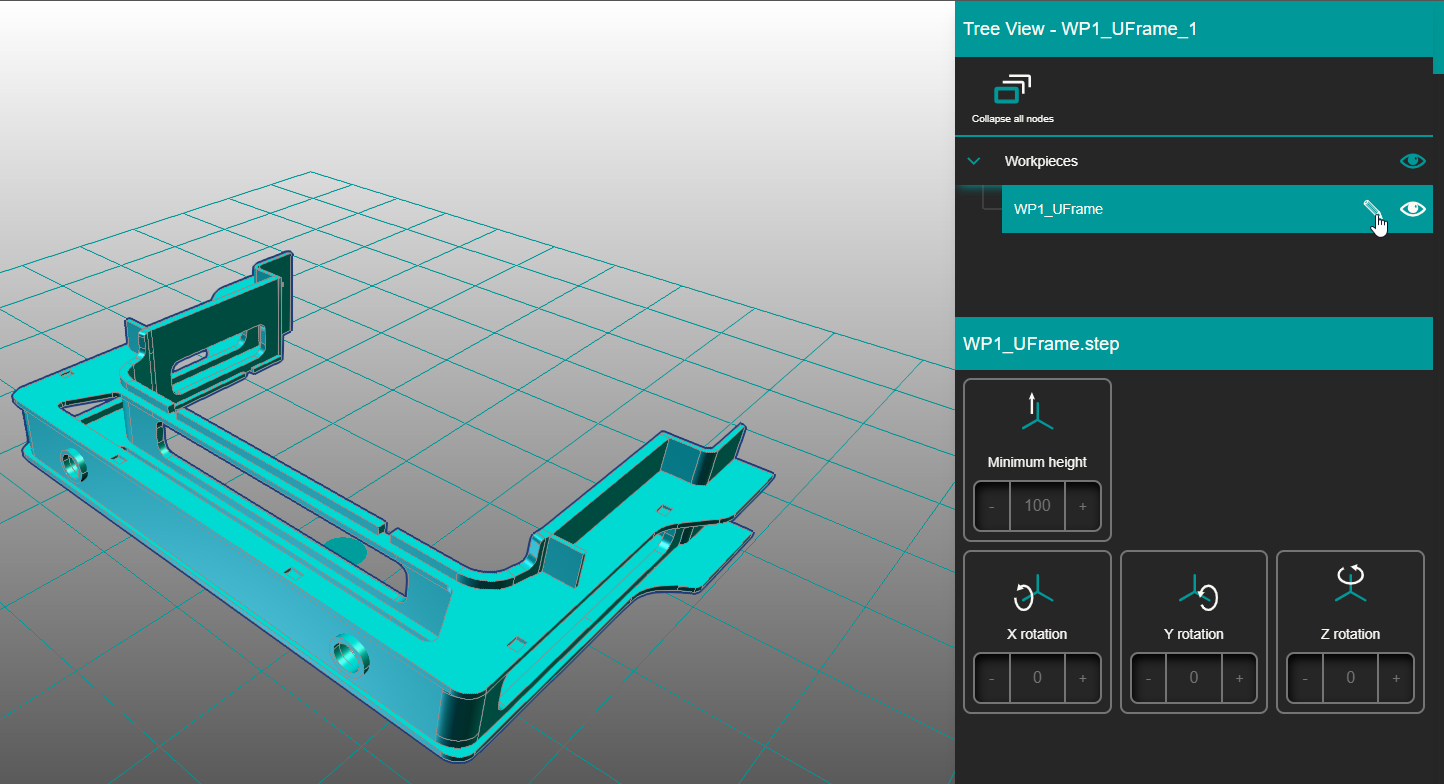
When the edit mode is active a legend on top of the careen will be shown and two buttons foe accept and cancel will be displayed on the right on top of the parameters panel. In this mode it is possible to edit the workpiece orientation and height.
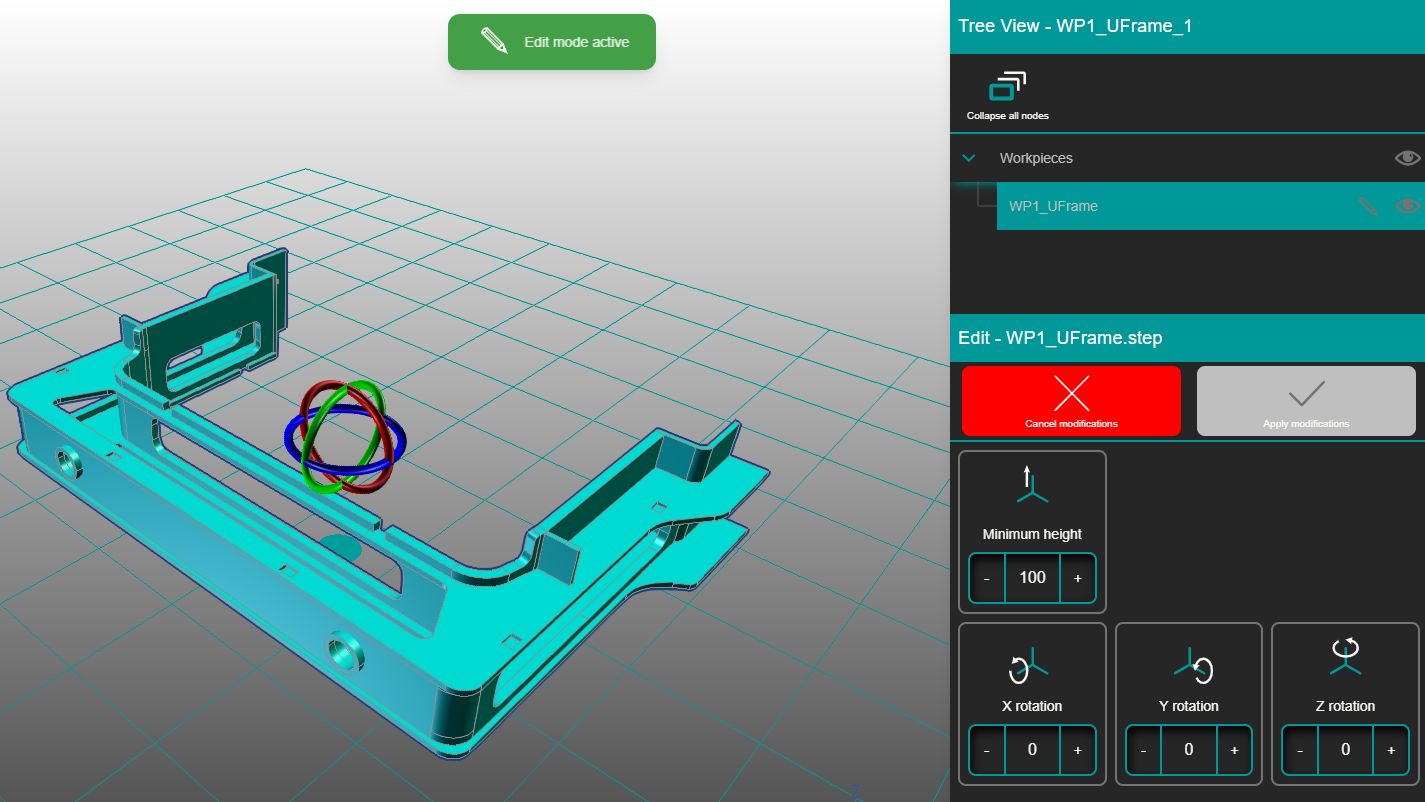
To modify the orientation simply rotate the 3D manipulator handles or use the parameter fields +- to rotate in 45 deg steps.
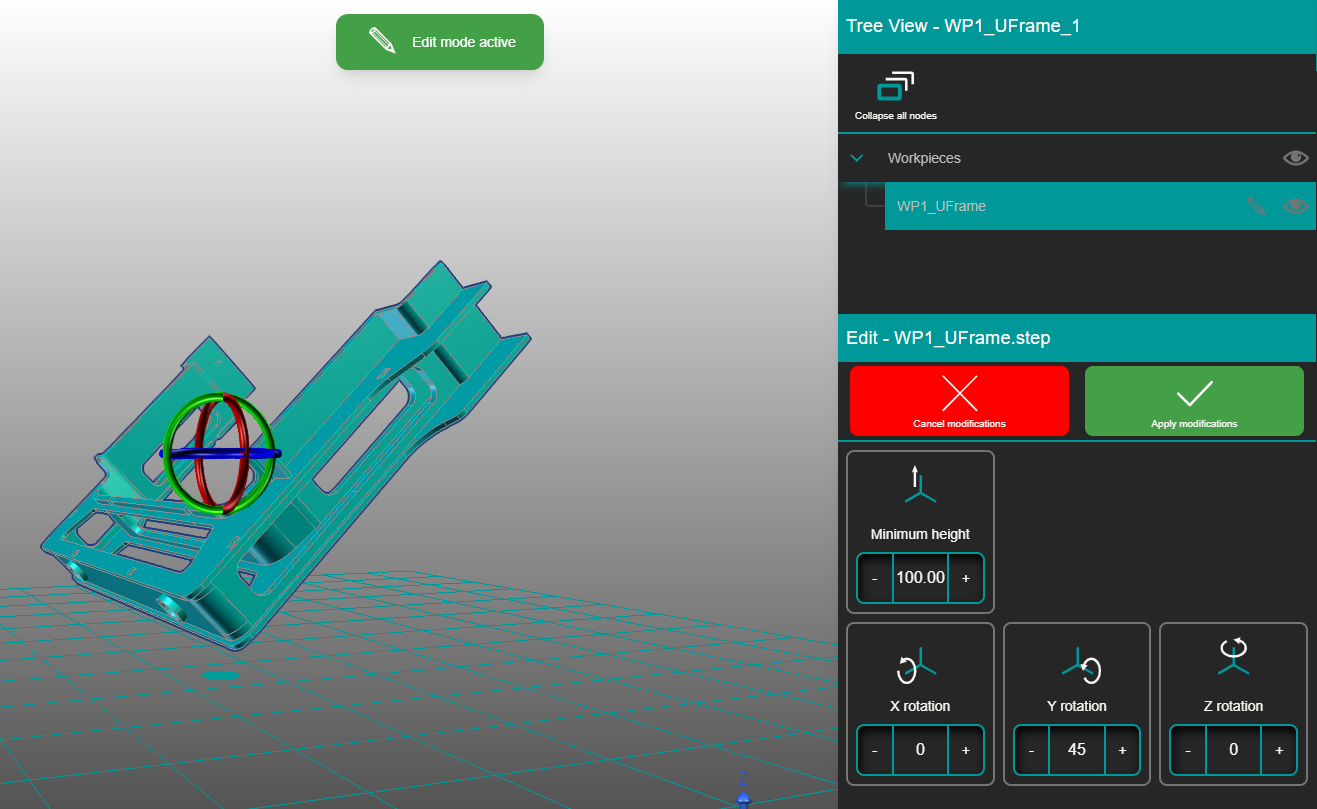
The minimum height parameter is the distance between the lowest point of the workpiece and the wok plane or the place where the base plate will be located. This can be used as a very good reference of how tall the fixture will be.
Once the modifications made on the workpiece are as desired select the Apply modifications button to confirm the changes. To return to the original position select cancel modifications.