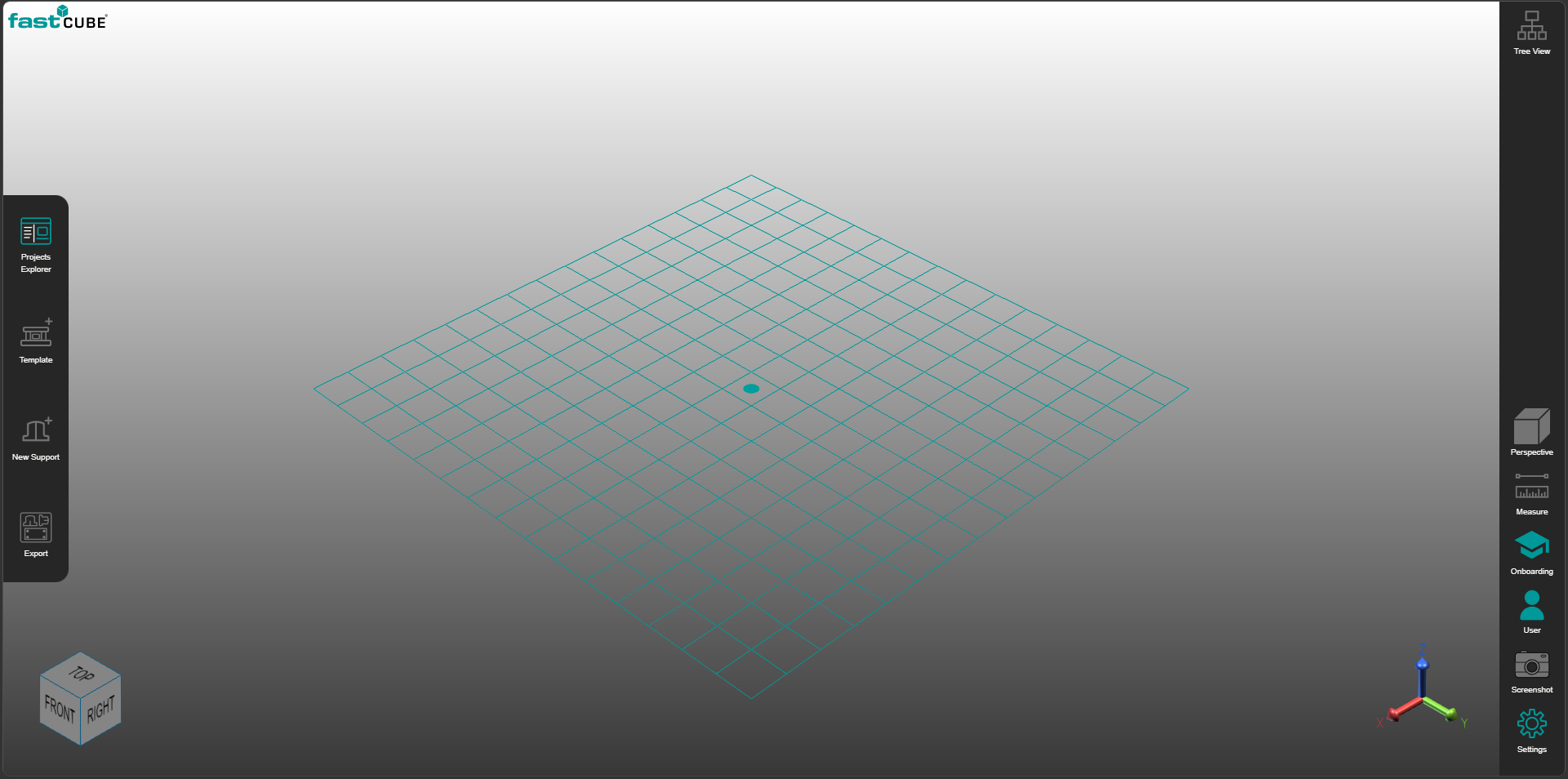
The FASTCUBE Fixture Builder runs on a web browser and the UI adapts to the relative screen resolution. The 3D rendering and front end run using cloud computing, and the layout is presented on a way attempting to be clear and intuitive.
The center of the screen is the 3D view to show and navigate the 3D workpiece and fixture creation.
The left ribbon shows the commands used for the fixture creation and export workflow.
The right side shows the Tree and parameter fields used to navigate and modify the fixture. And the lower section of the right bar shows different command and panels to configure onboard and settings.
Was this page helpful?