The position of the support plates can be edited to fit the fixture design according to the part geometry.
Direct modification of support plates
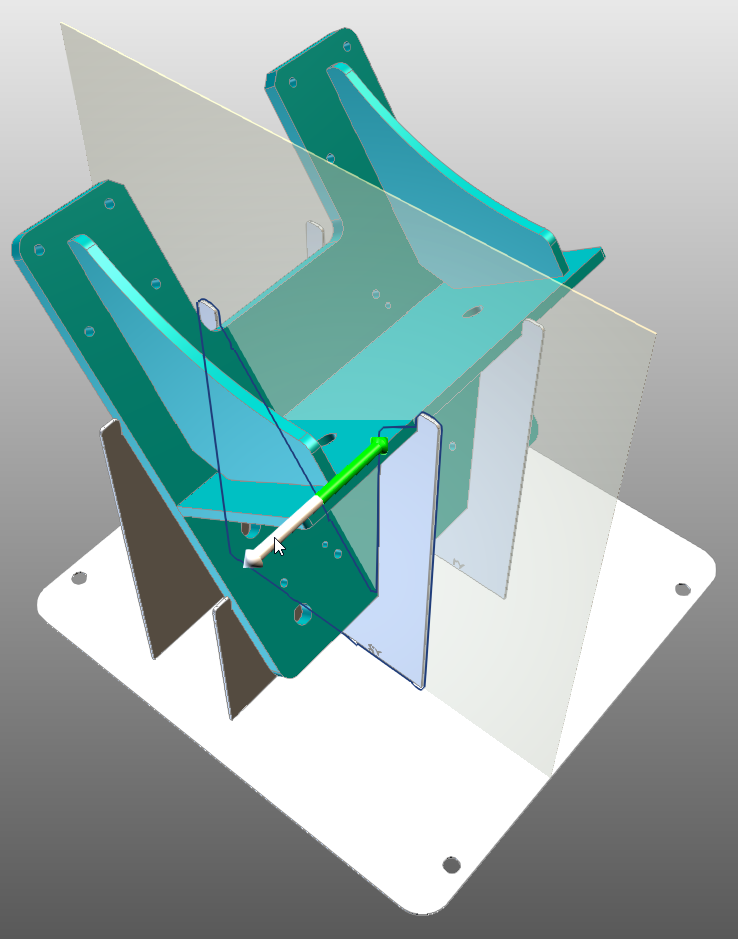
To quickly move a support plate simply select it and drag the arrow to move it position. Upon release the fixture will be recomputed with the new placement of the support plate. While dragging the plate a visualization plane will be showed to help with the placement of the plate.
Command modification of support plates
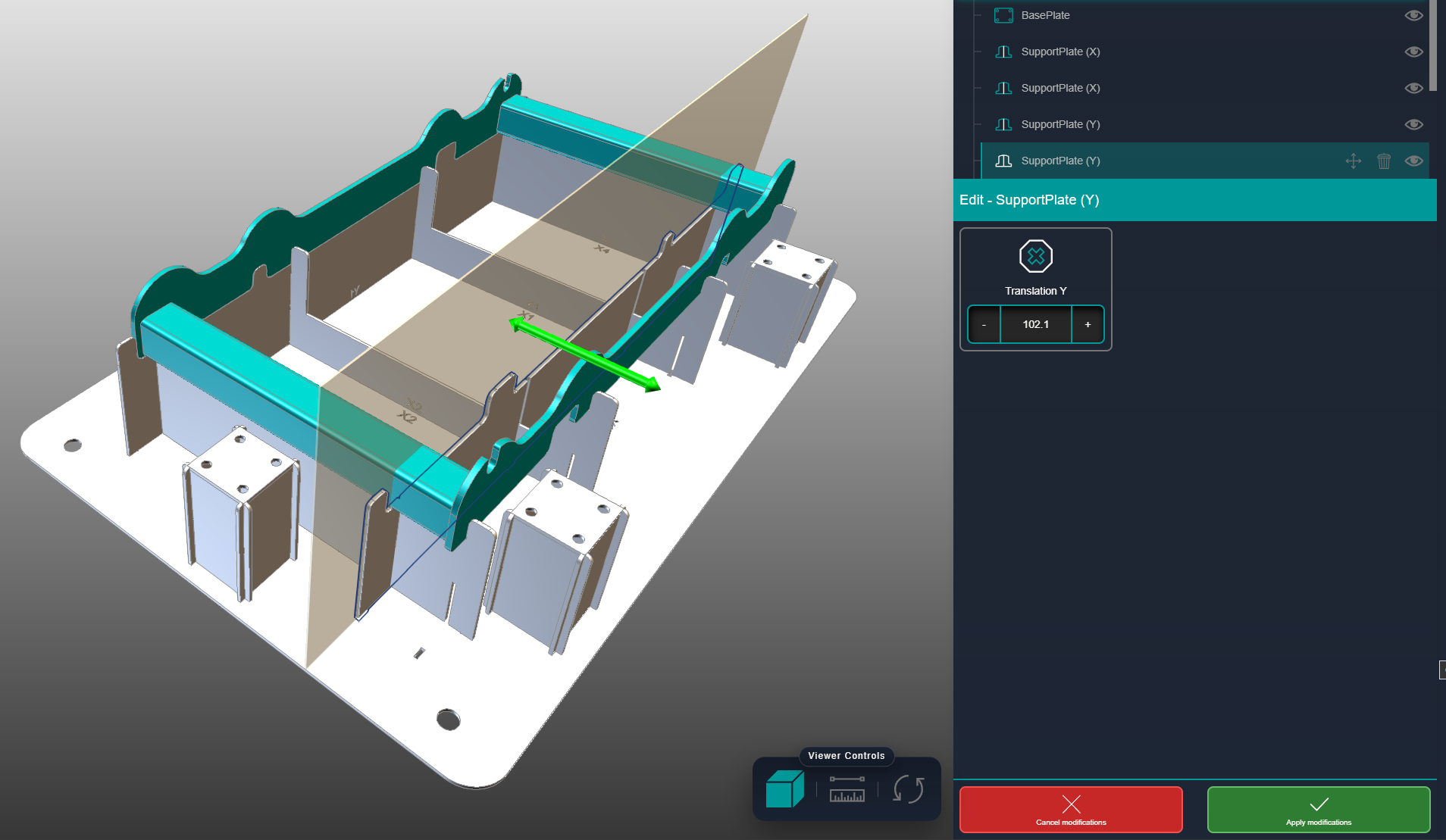
To modify a support plate more precisely use the move support plate command.

When the command is triggered is possible to move the plate using the manipulator arrow and the fixture is only recomputed when the change is accepted. If the modification is canceled the plate will return to its original position.
Was this page helpful?